Your designs, made into Pinterest pins and a dated upload file.
We turn each design image into two framed pin graphics, write a keyword-led description for every pin, and hand you a bulk-upload CSV with a publish date on every row. You upload it to Pinterest yourself.
One-time setup. PinPilot never logs into Pinterest. Pinterest is a slow channel and results vary, so we promise the file, not traffic or sales.
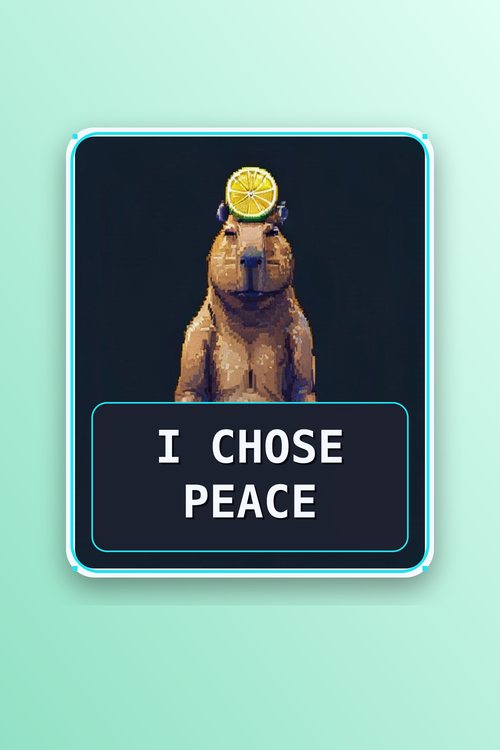
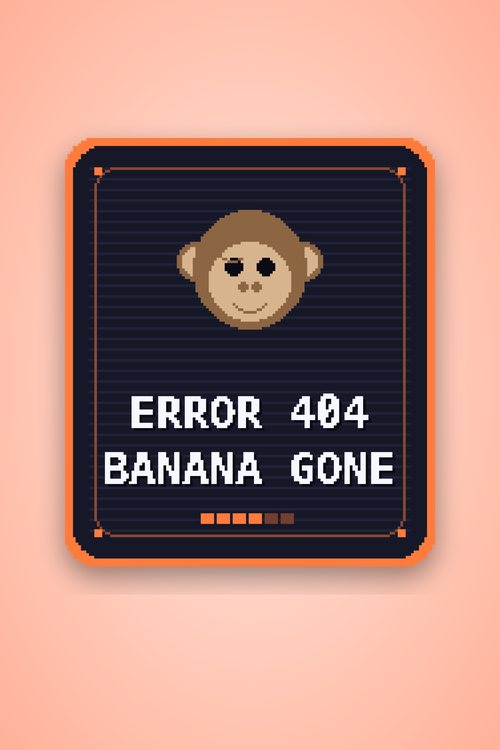
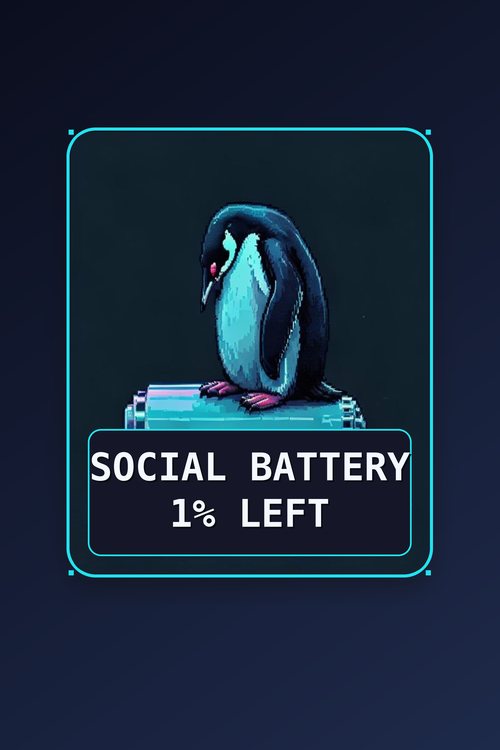
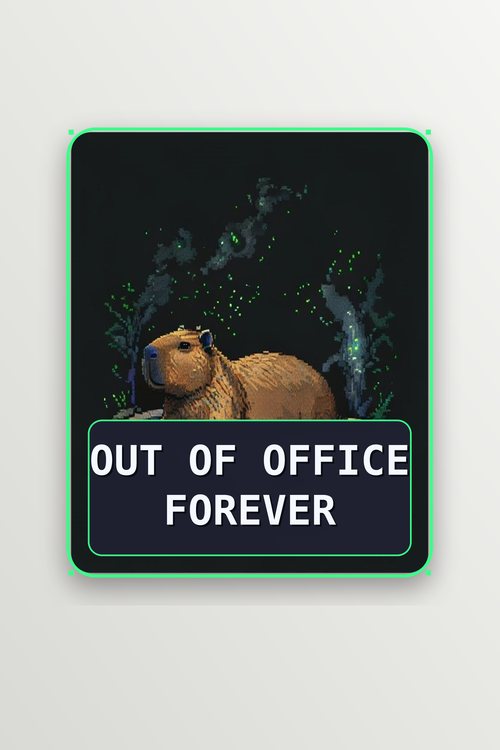

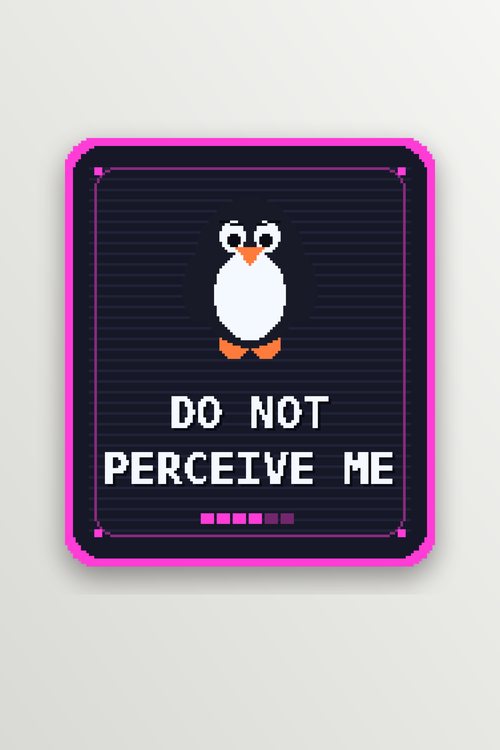
Those six pins, as the CSV Pinterest's bulk uploader reads.
One row per pin: title, image link, board, a keyword-led description, the product link and a publish date. This is the actual output for the pins above, trimmed to the columns that matter here.
| Title | Media URL | Pinterest board | Description | Publish date |
|---|---|---|---|---|
| I Chose Peace Capybara - Zen Funny Pixel Art | https://res.cloudinary.com/YOUR-CLOUD/image/upload/pinpilot/main/capybara-chose-peace-framed.png | Funny Pixel Art Stickers | Capybara sticker: the I Chose Peace Capybara - Zen Funny Pixel Art. Made for fans of zen pixel art and funny capybara meme. Sticks to laptops, water bottles, notebooks, and windows, or gift it. Tap to shop the sticker, print, and more on Redbubble. | 2026-10-26T08:00:00 |
| Error 404 Banana Gone Monkey - Tech & Programmer Meme | https://res.cloudinary.com/YOUR-CLOUD/image/upload/pinpilot/main/monkey-error-404-framed.png | Funny Pixel Art Stickers | Error 404 monkey: the Error 404 Banana Gone Monkey - Tech & Programmer Meme. Made for fans of programmer sticker. Sticks to laptops, water bottles, notebooks, and windows, or gift it. Tap to shop the sticker, print, and more on Redbubble. | 2026-10-26T10:55:00 |
| Social Battery 1% Penguin - Funny Introvert Meme | https://res.cloudinary.com/YOUR-CLOUD/image/upload/pinpilot/main/penguin-low-battery-framed.png | Funny Pixel Art Stickers | Introvert sticker: the Social Battery 1% Penguin - Funny Introvert Meme. Made for fans of social battery low. Sticks to laptops, water bottles, notebooks, and windows, or gift it. Tap to shop the sticker, print, and more on Redbubble. | 2026-10-26T12:41:00 |
Three of the six rows shown. Download all six rows as a CSV. The image links point at your own Cloudinary account (YOUR-CLOUD here), and each design also gets a second, cropped pin.
Pinterest works like a visual search engine. The bulk-pin workflow is miserable.
Many sellers find it works best to post fresh pins steadily, on keyword-named boards, with real product links. Doing that by hand every week is tedious.
The account goes quiet, or never gets started
Sellers often post in bursts and then disappear, or repeat the same design everywhere. Neither is a sustainable way to run an account.
The upload limits, and everything around it
Pinterest's own bulk upload is the right tool, but the CSV has to be exact - right headers, exact board names, public image URLs, a publish date on every row, sane per-file batch sizes.
Boards named after the brand, not what people search
Boards often get named after the shop instead of what buyers might type into Pinterest search. The Playbook covers how to name boards for search.
A routine you can actually keep
Each design assigned to the board name you give us, a keyword-led description generated for every pin, and a CSV that follows Pinterest's bulk-upload format before you ever open it.
Three steps, then it's a short routine every week or two.
Send your designs
Point us at your product listings - Redbubble, Etsy, wherever you sell. We pull the images and links we need to build pins around them.
We set it up
We run the tool on your designs, help you set up your own free Cloudinary account and run the first upload so your images are hosted there (the account is yours and stays yours), assign each design to the board name you give us (per design, or one default board), generate titles and descriptions from your titles and keywords, and set up your first scheduled batch.
Upload one CSV every week or two
You run one command to rebuild a bulk upload file, drop it into Pinterest's bulk creation tool, and publish. About five minutes, then you're done until next time.
Built to Pinterest's documented bulk-upload format.
Boards mapped to search, not to your brand
Each design is assigned to the board name you give us (per design in the manifest, or one default board). Board-naming guidance is in the Playbook for you to apply.
Real pin graphics, not raw product shots
Each design becomes two framed 2:3 pin graphics (1000×1500), hosted on your own free Cloudinary account (which we help you set up), with a keyword-led description generated per pin from your title and keywords - primary keyword in the first line, a use-case, a soft CTA. Titles kept under 90 characters.
A steady, spaced-out schedule
Publish dates are spread across the day at a pace you set (default 10 a day), so nothing goes up as one big burst.
Links straight to your product page
Every pin links to the exact product listing - Redbubble, Etsy, your own store - so buyers land on the item, not your homepage.
A CSV that just works
Exact headers, exact board names, valid public image URLs, sane batch sizes, a publish date on every row - built to match what Pinterest's bulk uploader expects.
Room to grow to multiple shops
Running more than one brand or store? Each gets its own account and its own unique pins - never the same image pushed twice.
Do it yourself, or have us set it up.
No subscriptions you didn't ask for. Neither option promises traffic or sales, and both use the same tool.
Starter Pack (self-serve)
The same tool, self-serve. Run it yourself with a written walkthrough and get a dated, ready-to-upload Pinterest CSV from your design images.
- The PinPilot tool: build, reset, status, init, validate, doctor
- Two framed 2:3 pin graphics (1000x1500) per design, hosted on your own free Cloudinary account
- A keyword-led description generated per pin from your titles and keywords
- A rolling master CSV in Pinterest's bulk-upload format, with a publish date on every row and a backlog that refills it
- Each design assigned to the board name you set (boards must already exist on Pinterest)
- README, QUICKSTART, Playbook, support notes, example config and a sample CSV
- 14 days of email support
14-day guarantee: if your first CSV does not upload cleanly in Pinterest's bulk uploader, email us within 14 days and we will help you fix it. If it still will not upload, you get a full refund. This covers the file only, not Pinterest performance.
Needs Python 3.9+, Pillow, a free Cloudinary account and a Pinterest business account. No Pinterest login or uploading for you, no board creation, no keyword research.
Get the Starter Pack - $19Setup (done for you)
We run the tool on your designs and hand you the finished config plus a walkthrough. Best for catalogues of 100+ designs. The Starter Pack is the same tool, self-serve.
Founding offer: the first 3 Setup buyers pay $29. In return we ask for a short honest comment and, if you are willing, your real Pinterest impression numbers after 60 days, good or bad. We won't edit them or quote you without asking. Email us to claim one.
- The tool run on your designs, with a finished config
- Each design assigned to the board name you give us
- Two framed pin graphics generated per design, hosted on your own free Cloudinary account, which we help you set up and you keep
- A keyword-led description generated per pin
- First scheduled batch, ready to upload
- A written walkthrough of the routine
Monthly Feed
Available on request. Not listed for sale yet.
- We rebuild your CSV whenever you add designs
- New designs added to the board names you gave us
- Cancel any time - the setup still stands without it
Extra Brand Account
Running more than one shop or brand.
- A fully separate account setup, boards & config
- Unique pins per brand - never duplicated across accounts
- Same routine, per shop
- Add as many brands as you actually run
"We built this for our own shop first, because it had to work before we'd sell it to anyone else."
Straight answers, including the slow parts.
Does this work for Etsy, or just Redbubble?
Yes. Pinterest doesn't care which marketplace the link goes to - it just needs a public product URL. We've set this up around Redbubble, but Etsy, Shopify, and most other storefronts work the same way.
How long until I see traffic or sales?
We can't tell you. Pinterest is slow, and we have no traffic or sales numbers to point to, so we won't give you a timeline. Some pins may get little or no attention. PinPilot makes the file; what Pinterest does with it is up to Pinterest.
Do I need a Pinterest Business account?
Yes. A Business account is free to create, and it is what gives you access to Pinterest's bulk upload tool, which this whole setup feeds. If you're starting from scratch, Pinterest's own help pages cover creating one.
What if I run more than one shop or brand?
Each brand gets its own Pinterest account with its own unique pins and its own boards. What we won't set up is posting the same pins to more than one account, because Pinterest's spam policies discourage it. Extra brands are a $40/account add-on.
Does this follow Pinterest's rules?
Pinterest's bulk pin upload is a documented feature, and that is all PinPilot feeds. You upload the file yourself, in your own account, on your own schedule. PinPilot never logs into Pinterest. We make no guarantee about results or about how Pinterest applies its policies to your account, so read their current terms yourself.
What do I need to send you to get started?
Links to your storefront (or a product export if you have one), your design images, and the board name or names you want. A short intake checklist comes after purchase.
Do I need the monthly feed?
No. The setup stands on its own: you get the tool and your finished config, and you rebuild the CSV yourself whenever you add designs. The monthly feed (available on request) just means we rebuild it for you.
PinPilot builds your pin file. PixelReport suggests what to make.
Once the pin file is handled, the other half of the problem is deciding what to draw next month. PixelReport is a monthly research report for print-on-demand sellers - trending niches, keyword gaps, competition notes, a seasonal design calendar, and 50 ready-to-use design prompts, each already carrying the title, board, and keywords a listing needs. We did the thinking: it's a written report you read in ten minutes and walk away with a list, not a dashboard you have to interpret.
$39 / month
One issue on the 1st of every month. Cancel anytime.
$99 one-off
A single deep-dive issue, no subscription - see the full format once before committing.
Every prompt lands CSV-ready - the same title, board, and keyword columns PinPilot's bulk upload wants, no reformatting.
Get pins like these, built from your designs.
$59.99: your pins made, described and dated in a CSV that follows Pinterest's bulk-upload format.
A monthly CSV refresh ($15/mo) is available on request. No surprise recurring charges.